Cybersecurity for Consumer Devices: 6 Essential Tips to Protect Your Tech in 2026
Anúncios
Protecting your smart devices in 2026 is paramount as cyber threats evolve, necessitating proactive measures like strong authentication, regular software updates, and secure network practices to safeguard personal data and maintain digital privacy.
In an increasingly interconnected world, where smart devices permeate every aspect of our lives, ensuring robust consumer device cybersecurity is no longer optional but a critical necessity. As we look towards 2026, the landscape of cyber threats continues to evolve, making it imperative for every user to adopt proactive measures to protect their valuable technology and personal data.
Anúncios
Understanding the Evolving Threat Landscape
The digital age has brought unparalleled convenience, but it has also opened new avenues for cybercriminals. In 2026, the threats targeting consumer devices are more sophisticated and varied than ever before. From ransomware encrypting your family photos to phishing scams designed to steal your financial information, understanding these risks is the first step toward effective protection.
Cybercriminals are constantly adapting their tactics, leveraging advancements in artificial intelligence and machine learning to craft more convincing social engineering attacks and bypass traditional security measures. Devices like smart speakers, smart thermostats, and even connected appliances, once considered benign, are now potential entry points for malicious actors into your home network.
The Rise of IoT Vulnerabilities
The proliferation of the Internet of Things (IoT) has dramatically expanded the attack surface for cyber threats. Many IoT devices are designed for convenience rather than security, often shipping with default passwords or unpatched vulnerabilities that can be easily exploited.
- Default Credentials: Many devices come with easy-to-guess default usernames and passwords, which users often neglect to change.
- Lack of Updates: Manufacturers sometimes fail to provide timely security updates, leaving devices vulnerable to newly discovered exploits.
- Insecure Protocols: Some IoT devices use outdated or weak communication protocols that can be intercepted or manipulated.
These vulnerabilities make it crucial for consumers to be vigilant and informed about the security posture of every device they bring into their homes. A single compromised device can act as a gateway, exposing your entire network and all connected gadgets to risk.
Tip 1: Implement Strong, Unique Passwords and Multi-Factor Authentication
One of the most fundamental yet often overlooked aspects of digital security is password hygiene. In 2026, relying on simple or reused passwords is akin to leaving your front door unlocked. Cybercriminals use automated tools to try millions of common passwords and stolen credentials, making strong, unique passwords essential for every device and online account.
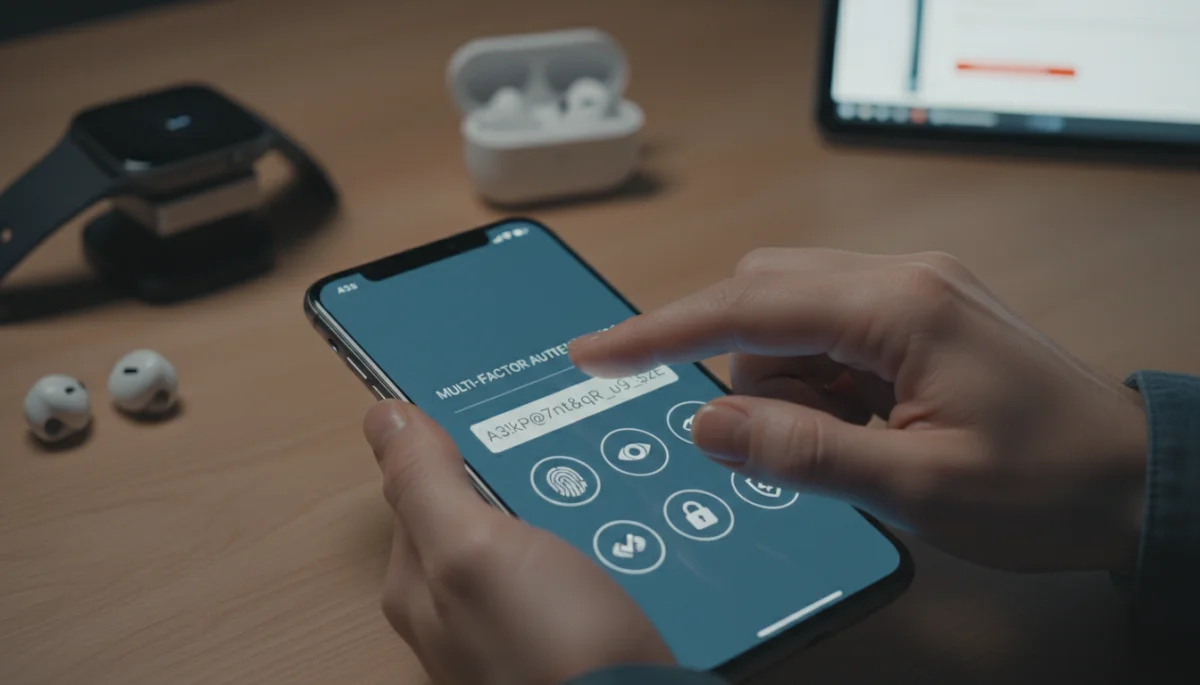
Beyond strong passwords, multi-factor authentication (MFA) adds an invaluable layer of security. MFA requires users to verify their identity using two or more different factors, such as something they know (password), something they have (phone or token), or something they are (fingerprint or facial scan).
Anúncios
Creating Robust Passwords
A strong password is long, complex, and unique. It should ideally be a passphrase rather than a single word, incorporating a mix of uppercase and lowercase letters, numbers, and special characters. Avoid using easily guessable information like birthdays, pet names, or common phrases.
- Length: Aim for at least 12-16 characters.
- Complexity: Combine different character types.
- Uniqueness: Use a different password for each account and device.
- Password Managers: Utilize a reputable password manager to generate, store, and auto-fill complex passwords securely.
Regularly reviewing and updating your passwords, especially for critical accounts, further strengthens your defense. A compromised password on one service should not grant access to others.
The Power of Multi-Factor Authentication
MFA significantly reduces the risk of unauthorized access, even if your password is stolen. Even if a hacker obtains your password, they would still need access to your second authentication factor, such as your phone or biometric data, to gain entry.
Enable MFA wherever possible, especially for email, banking, social media, and any services storing sensitive information. Common MFA methods include SMS codes, authenticator apps (like Google Authenticator or Authy), hardware tokens, and biometric verification.
Tip 2: Keep All Software and Firmware Updated
Software and firmware updates are not just about new features; they are crucial for security. Manufacturers frequently release updates to patch newly discovered vulnerabilities, fix bugs, and enhance performance. Neglecting these updates leaves your devices exposed to known exploits that cybercriminals actively target.
This applies to all your consumer devices, from your smartphone and laptop to your smart TV, router, and even smart home gadgets. Each update often contains critical security patches that close potential backdoors for attackers.
Why Updates Are Critical
Every piece of software has vulnerabilities, and security researchers or malicious actors continuously discover new ones. When a vulnerability is found, the manufacturer typically releases a patch to fix it. If you don’t apply the update, your device remains vulnerable.
Outdated software can be exploited for various nefarious purposes:
- Data Theft: Attackers can steal personal information, financial data, or login credentials.
- Malware Installation: Vulnerabilities can be used to install viruses, ransomware, or spyware.
- Botnet Participation: Your device could be co-opted into a botnet, used for distributed denial-of-service (DDoS) attacks or spam campaigns.
Automate updates whenever possible to ensure your devices are always running the latest, most secure versions of their software and firmware. For devices that require manual updates, make it a habit to check for and install them regularly.
Tip 3: Secure Your Home Network and Wi-Fi
Your home network is the central hub for all your connected devices. If your network is compromised, every device connected to it becomes vulnerable. Securing your Wi-Fi network is a cornerstone of effective consumer device cybersecurity in 2026.
This involves more than just setting a password for your Wi-Fi. It includes configuring your router securely, using strong encryption, and being mindful of who has access to your network.
Router Security Best Practices
Your router is the first line of defense for your home network. It needs to be configured properly to repel attacks.
- Change Default Credentials: Always change the default username and password for your router’s administration interface.
- Enable WPA3 Encryption: Use the strongest available Wi-Fi encryption protocol, WPA3 (or WPA2 if WPA3 isn’t available). Avoid WEP and WPA.
- Disable WPS: Wi-Fi Protected Setup (WPS) can be convenient but also has known security flaws; disable it if possible.
- Update Router Firmware: Just like other devices, your router’s firmware needs regular updates.
- Guest Network: Set up a separate guest Wi-Fi network for visitors and IoT devices that don’t need access to your main network.
Regularly review your router’s settings and connected devices to ensure no unauthorized access. Consider segmenting your network, placing IoT devices on a separate VLAN to isolate them from more sensitive devices like computers and smartphones.
Tip 4: Be Wary of Phishing and Social Engineering Attacks
Even the most technologically secure device can be compromised through human error. Phishing and social engineering attacks exploit human psychology to trick users into revealing sensitive information or performing actions that compromise their security. These attacks are becoming increasingly sophisticated, often leveraging AI to craft highly convincing messages.
In 2026, expect phishing attempts to be hyper-personalized and appear to come from legitimate sources. Vigilance and critical thinking are your best defenses against these deceptive tactics.
Recognizing and Avoiding Phishing
Phishing emails, texts, and even calls often try to create a sense of urgency or fear, prompting you to act without thinking. They might impersonate banks, government agencies, tech support, or well-known companies.
- Check Sender Information: Always verify the sender’s email address or phone number; look for slight misspellings or unusual domains.
- Hover Over Links: Before clicking, hover your mouse over any links to see the actual URL. If it looks suspicious, don’t click.
- Look for Red Flags: Generic greetings, poor grammar, unusual requests for personal information, or urgent demands are common indicators.
- Verify Independently: If you receive a suspicious request from a known entity, contact them directly using official contact information, not the information provided in the suspicious message.
Never share passwords, PINs, or sensitive personal information in response to unsolicited requests. Educating yourself and your family about these threats is vital for maintaining robust cybersecurity.
Tip 5: Use Antivirus/Antimalware Software and Firewalls
While many consumer devices, particularly smartphones and tablets, have built-in security features, dedicated antivirus and antimalware software provide an additional, critical layer of protection. For traditional computers, robust antivirus protection and an active firewall are non-negotiable.
In 2026, the best security suites offer real-time protection, scanning for threats, blocking malicious websites, and providing protection against a wide range of malware, including ransomware, spyware, and rootkits.
The Role of Antivirus and Antimalware
Antivirus software actively scans your device for malicious code and prevents it from executing. It can identify and remove threats before they cause damage. Modern antimalware solutions go beyond traditional viruses, detecting advanced persistent threats and zero-day exploits.
Key features to look for in a security solution:
- Real-time Protection: Continuously monitors your system for threats.
- Heuristic Analysis: Detects new, unknown threats based on their behavior.
- Web Protection: Blocks access to known malicious websites and phishing links.
- Automatic Updates: Ensures the software’s threat definitions are always current.
A firewall, whether software-based on your device or hardware-based in your router, acts as a barrier between your device or network and the internet. It monitors incoming and outgoing network traffic, blocking unauthorized access and preventing malicious connections.
Tip 6: Regularly Back Up Your Data
Even with the most stringent cybersecurity measures, unforeseen events can occur. Hardware failures, accidental deletions, or successful cyberattacks (like ransomware) can lead to irreversible data loss. Regularly backing up your data is your ultimate safety net, ensuring that your precious memories and important documents are always recoverable.
In 2026, a comprehensive backup strategy should include both local and cloud-based solutions, providing redundancy and accessibility.
Developing a Robust Backup Strategy
A good backup strategy follows the 3-2-1 rule: three copies of your data, on two different types of media, with one copy offsite. This protects against a wide range of potential data loss scenarios.
- Local Backups: Use external hard drives or network-attached storage (NAS) devices to create local copies of your most important files.
- Cloud Backups: Utilize reputable cloud storage services (e.g., Google Drive, Dropbox, OneDrive, iCloud) for offsite backups, offering accessibility and protection against physical damage or theft.
- Automate Backups: Configure your devices and services to perform backups automatically and regularly.
- Test Restores: Periodically test your backup and restore process to ensure data integrity and that you can successfully recover files.
Beyond personal files, consider backing up configurations for critical devices, especially smart home hubs or complex network setups. This proactive approach minimizes disruption and data loss in the face of any digital disaster.
| Key Protection Area | Brief Description |
|---|---|
| Strong Credentials | Use unique, complex passwords and enable multi-factor authentication on all devices and accounts. |
| Regular Updates | Keep all device software and firmware updated to patch vulnerabilities and enhance security. |
| Network Security | Secure your home Wi-Fi with WPA3, strong router passwords, and guest networks. |
| Data Backup | Implement a 3-2-1 backup strategy for all critical data to prevent loss from cyberattacks or hardware failure. |
Frequently asked questions about consumer device cybersecurity
In 2026, the increased number of interconnected devices and the sophistication of cyber threats make cybersecurity crucial. More devices mean more potential entry points for attackers, while AI-driven attacks are becoming harder to detect, demanding enhanced user vigilance and robust protection measures.
MFA requires two or more verification methods to access an account, like a password plus a code from your phone. It adds a critical security layer, significantly reducing the risk of unauthorized access even if your password is stolen, making your accounts much safer.
You should update your devices’ software and firmware as soon as updates become available. These updates often contain critical security patches that fix vulnerabilities, protecting your devices from new and evolving cyber threats. Automating updates is highly recommended for continuous protection.
Yes, a guest Wi-Fi network is highly recommended. It isolates visitors and less secure IoT devices from your main network, preventing them from accessing sensitive data or potentially spreading malware to your primary computers and smartphones. This segmentation enhances overall home network security.
The 3-2-1 backup rule suggests having three copies of your data, on two different media types, with one copy stored offsite. This strategy provides comprehensive protection against data loss due to hardware failure, cyberattacks, or natural disasters, ensuring your data is always recoverable.
Conclusion
As we navigate the complexities of 2026, the responsibility of securing our digital lives rests firmly on our shoulders. The six essential tips for consumer device cybersecurity outlined here are not merely suggestions but fundamental practices for anyone looking to protect their tech and personal data. From establishing strong authentication and diligently updating software to securing home networks and backing up data, each step contributes to a more resilient digital presence. By adopting these proactive measures, consumers can confidently embrace technological advancements while mitigating the ever-present risks of the cyber world.