Multi-Factor Authentication: Enhance Your Security by 2026
Anúncios
Multi-factor authentication (MFA) significantly enhances digital security by requiring users to provide two or more verification factors, making unauthorized access substantially more difficult for cybercriminals by 2026.
Anúncios
In an increasingly digital world, the need for robust security measures has never been more critical. Understanding Multi-Factor Authentication: 4 Methods to Enhance Your Security by 2026 is no longer just a recommendation; it’s a fundamental necessity to safeguard your personal and professional data from ever-evolving cyber threats. This article will explore why MFA is crucial and delve into the most effective methods available today.
The imperative for multi-factor authentication in 2026
The digital landscape of 2026 presents a complex array of cyber threats, ranging from sophisticated phishing schemes to brute-force attacks that can compromise even strong passwords. Traditional single-factor authentication, relying solely on passwords, has proven insufficient against these advanced tactics. As our lives become more interconnected online, the potential impact of a data breach or identity theft grows exponentially, affecting financial stability, personal privacy, and professional reputation.
Multi-factor authentication (MFA) introduces additional layers of security, requiring users to verify their identity through multiple, distinct authentication factors. This approach significantly reduces the risk of unauthorized access, even if one factor is compromised. It’s a proactive defense mechanism that acknowledges the limitations of single-factor methods and builds a more resilient barrier against cybercriminals. Implementing MFA is not just about compliance; it’s about establishing a foundational security posture that protects sensitive information and maintains trust in digital interactions.
Why traditional passwords are no longer enough
Passwords, despite their widespread use, are inherently vulnerable. They can be guessed, stolen, or cracked through various means. The reliance on human memory often leads to weak or reused passwords, further exacerbating the problem. Cybercriminals constantly develop new techniques to bypass single-factor authentication, making it critical to adopt stronger safeguards.
- Phishing attacks: Tricking users into revealing credentials.
- Brute-force attacks: Automated attempts to guess passwords.
- Credential stuffing: Using stolen username/password pairs from one breach to access other accounts.
- Keyloggers: Malicious software recording keystrokes to capture login details.
The shift towards MFA is a recognition that security must evolve beyond simple password protection. It acknowledges that human error and technological vulnerabilities are inevitable, and therefore, a multi-layered defense is the most effective strategy. Organizations and individuals alike must embrace MFA to adequately protect their digital assets in the face of persistent and sophisticated cyber threats.
Understanding the three primary authentication factors
Multi-factor authentication operates on the principle of combining different types of evidence to verify a user’s identity. These factors are generally categorized into three distinct types: something you know, something you have, and something you are. A robust MFA system requires at least two of these factors, making it significantly harder for an unauthorized party to gain access, even if they manage to compromise one factor. This layered approach ensures that even if a password is stolen, the attacker still lacks the other required verification method.
Anúncios
The effectiveness of MFA stems from its requirement for diverse authentication factors. Each factor represents a different challenge for an attacker. For instance, knowing a password doesn’t help if you also need physical access to a trusted device or a biometric scan. This diversity makes MFA a powerful deterrent against a wide range of cyberattacks, from simple phishing to more complex social engineering schemes. As digital interactions become more prevalent, understanding these core factors is key to implementing effective security strategies.
Something you know: knowledge factors
This category includes information that only the legitimate user is supposed to know. Passwords, PINs, and security questions fall under this umbrella. While these are the most common and often the first line of defense, they are also the most susceptible to social engineering and data breaches.
- Passwords: Alphanumeric strings used for authentication.
- PINs: Shorter numerical codes, often used for devices or transactions.
- Security questions: Personal questions whose answers are supposedly known only to the user.
While knowledge factors are foundational, their inherent vulnerability necessitates pairing them with other, more secure factors. The strength of a knowledge factor often depends on its complexity and uniqueness, but even the strongest password can be compromised if an attacker gains access through other means.
Something you have: possession factors
Possession factors rely on an item that only the authorized user possesses. This could be a physical token, a smartphone, or a smart card. These factors add a significant layer of security because an attacker would need to physically obtain the device to bypass the authentication. This makes remote attacks much more difficult to execute successfully.
- Hardware tokens: Small devices generating one-time passcodes (OTPs).
- Smartphones: Used for receiving SMS codes, push notifications, or running authenticator apps.
- Smart cards: Physical cards with embedded chips for authentication.
Possession factors are particularly effective because they introduce a physical barrier. Even if an attacker knows your password, they cannot complete the login without the physical device in your possession. This significantly elevates the effort and resources required for a successful breach, often making it not worth the attacker’s time.
Something you are: inherence factors
Inherence factors are based on unique biological characteristics of the user, making them incredibly difficult to replicate or steal. Biometric data, such as fingerprints, facial recognition, and iris scans, fall into this category. These methods offer a high level of convenience and security, as they are inherently tied to the individual.
- Fingerprint scans: Unique ridge patterns on fingertips.
- Facial recognition: Analyzing unique facial features.
- Iris scans: Patterns in the colored part of the eye.
Biometric authentication provides a seamless and secure user experience. It eliminates the need to remember complex passwords or carry physical tokens, while offering a high degree of assurance that the person attempting to access an account is indeed the legitimate owner. However, it’s crucial to consider the privacy implications and the secure storage of biometric templates.
Method 1: SMS-based multi-factor authentication
SMS-based multi-factor authentication is one of the most widely adopted and accessible forms of MFA. It works by sending a one-time passcode (OTP) to a user’s registered mobile phone number via text message. To complete the login process, the user must then enter this code into the authentication prompt. This method leverages the ‘something you have’ factor, as the mobile phone is presumed to be in the user’s possession. Its simplicity and ubiquity have made it a popular choice for many online services and applications.
While convenient, SMS-based MFA has faced scrutiny regarding its security vulnerabilities. Despite these concerns, it still offers a significant security improvement over single-factor authentication. For many users, it represents an easy and familiar way to add an extra layer of protection to their accounts, making it a crucial stepping stone towards more advanced security practices. The widespread availability of mobile phones ensures that this method remains a viable option for a broad user base.
How SMS-based MFA works
When a user attempts to log in to an account, after entering their password (something you know), the system sends a unique, time-sensitive code to their registered mobile number. The user then retrieves this code from their SMS messages and inputs it into the login screen. This second factor verifies that the user not only knows the password but also possesses the associated mobile device.
This process is straightforward and requires minimal technical expertise from the user, contributing to its broad adoption. The temporary nature of the OTP adds a layer of security, as the code is only valid for a short period, typically a few minutes, reducing the window for potential exploitation. It integrates seamlessly into existing login flows, providing an immediate security upgrade for many online services.
Advantages and disadvantages
SMS-based MFA offers several benefits, primarily its ease of use and widespread accessibility. Almost everyone has a mobile phone capable of receiving text messages, eliminating the need for specialized hardware or software. This low barrier to entry encourages broader adoption of MFA.
- Advantages:
- High user familiarity and ease of use.
- No additional hardware or software required.
- Quick implementation for service providers.
However, it also comes with notable drawbacks. SMS messages can be intercepted through various means, such as SIM swapping attacks, where an attacker convinces a mobile carrier to transfer a user’s phone number to a new SIM card. This allows the attacker to receive the OTPs. Additionally, SMS messages are not encrypted, making them susceptible to interception by sophisticated adversaries. Despite these vulnerabilities, for many users, SMS-based MFA is a significant improvement over no MFA at all.
- Disadvantages:
- Vulnerable to SIM swapping attacks.
- SMS messages are not encrypted and can be intercepted.
- Reliance on mobile network availability.
In conclusion, while SMS-based MFA provides a valuable layer of security, users and organizations should be aware of its limitations and consider it as a baseline rather than the ultimate solution for robust authentication. It is a good starting point for enhancing security but should ideally be complemented or replaced by more secure methods where feasible.
Method 2: Authenticator app-based MFA
Authenticator app-based multi-factor authentication offers a more secure alternative to SMS-based methods. These applications, such as Google Authenticator, Microsoft Authenticator, or Authy, generate time-based one-time passcodes (TOTPs) directly on the user’s device, typically a smartphone. Unlike SMS, these codes are generated offline and do not rely on cellular network signals, making them immune to SIM swapping attacks and SMS interception. The initial setup usually involves scanning a QR code to link the app to an online service, after which the app continuously generates new, time-sensitive codes.
This method significantly enhances security by removing the reliance on external networks for code delivery. The codes are typically valid for a very short period, often 30 or 60 seconds, which minimizes the window of opportunity for an attacker to use a stolen code. Authenticator apps represent a strong ‘something you have’ factor, as the codes are generated on a device in the user’s physical possession, providing a robust defense against unauthorized access attempts.
How authenticator apps work
Once an authenticator app is linked to an online account, it uses a shared secret key and the current time to generate a unique six-digit code every 30-60 seconds. When logging in, after entering the password, the user opens the authenticator app, retrieves the current code, and enters it into the login prompt. The server, having the same shared secret and time synchronization, can verify the authenticity of the code.
This synchronization based on time and a shared secret ensures that even if an attacker were to somehow intercept a code, its short lifespan would render it useless almost immediately. The offline generation of codes means that network outages or vulnerabilities in cellular networks do not compromise the authentication process, providing a more reliable and secure experience.
Key benefits and considerations
Authenticator apps provide several significant security advantages. Their offline nature makes them resilient to network-based attacks, and the constantly changing codes offer strong protection against replay attacks. They are also generally free to use and widely supported by numerous online services.
- Benefits:
- Immune to SIM swapping and SMS interception.
- Codes generated offline, no network dependency.
- Time-sensitive codes reduce replay attack risk.
- Widely supported and often free.
However, there are also considerations. If a user loses their device or it is damaged, they might lose access to their accounts unless proper backup and recovery methods are in place. It’s crucial for users to back up their authenticator app configurations or recovery codes diligently. Some users might also find the process of opening an app and typing a code slightly less convenient than a simple push notification, though this is often a minor trade-off for enhanced security.
- Considerations:
- Device loss can lead to account lockout without backups.
- Requires user to have the app installed on a device.
- Initial setup can be slightly more involved than SMS.
In summary, authenticator app-based MFA offers a superior level of security compared to SMS, making it a highly recommended method for protecting critical online accounts. Its robustness against common attack vectors makes it an essential tool in any comprehensive cybersecurity strategy for 2026 and beyond.
Method 3: Biometric authentication for enhanced security
Biometric authentication represents a cutting-edge approach to multi-factor authentication, utilizing unique biological characteristics to verify identity. This method falls under the ‘something you are’ factor, leveraging inherent traits like fingerprints, facial features, or iris patterns. Modern smartphones and computers increasingly integrate biometric sensors, making this form of MFA both convenient and highly secure. The underlying principle is that these biological traits are extremely difficult to replicate or steal, providing a robust defense against unauthorized access.
The appeal of biometric authentication lies not only in its strong security but also in its unparalleled convenience. Users no longer need to remember complex passwords or carry separate tokens; their own body becomes the key. This seamless experience contributes to higher user adoption rates for security features. As technology advances, the accuracy and reliability of biometric systems continue to improve, solidifying their role as a cornerstone of future authentication practices.
Types of biometric authentication
Several types of biometric authentication are commonly employed today, each with its own advantages and specific applications. The most prevalent include fingerprint recognition, facial recognition, and iris scanning. Each method relies on sophisticated algorithms to capture, process, and match unique biological data points against a stored template.
- Fingerprint recognition: Scans the unique ridge patterns on a user’s finger. Widely available on smartphones and laptops, offering quick and secure access.
- Facial recognition: Analyzes unique facial geometry and features. Common in smartphones and some access control systems, providing hands-free authentication.
- Iris scanning: Captures the intricate and highly unique patterns in the iris of the eye. Considered one of the most secure biometric methods due to its complexity.
Beyond these, other biometrics like voice recognition and even behavioral biometrics (analyzing typing patterns or gait) are emerging, promising even more diverse and adaptive authentication options. The continuous innovation in this field ensures that biometric authentication will remain a dynamic and evolving aspect of digital security.
Security and privacy considerations
While biometric authentication offers exceptional security, it also introduces unique privacy considerations. Unlike passwords, which can be changed if compromised, biological traits are permanent. Therefore, the secure storage and processing of biometric templates are paramount. Systems must ensure that these templates are encrypted and never directly stored in a way that could be reverse-engineered to reconstruct the original biometric data.
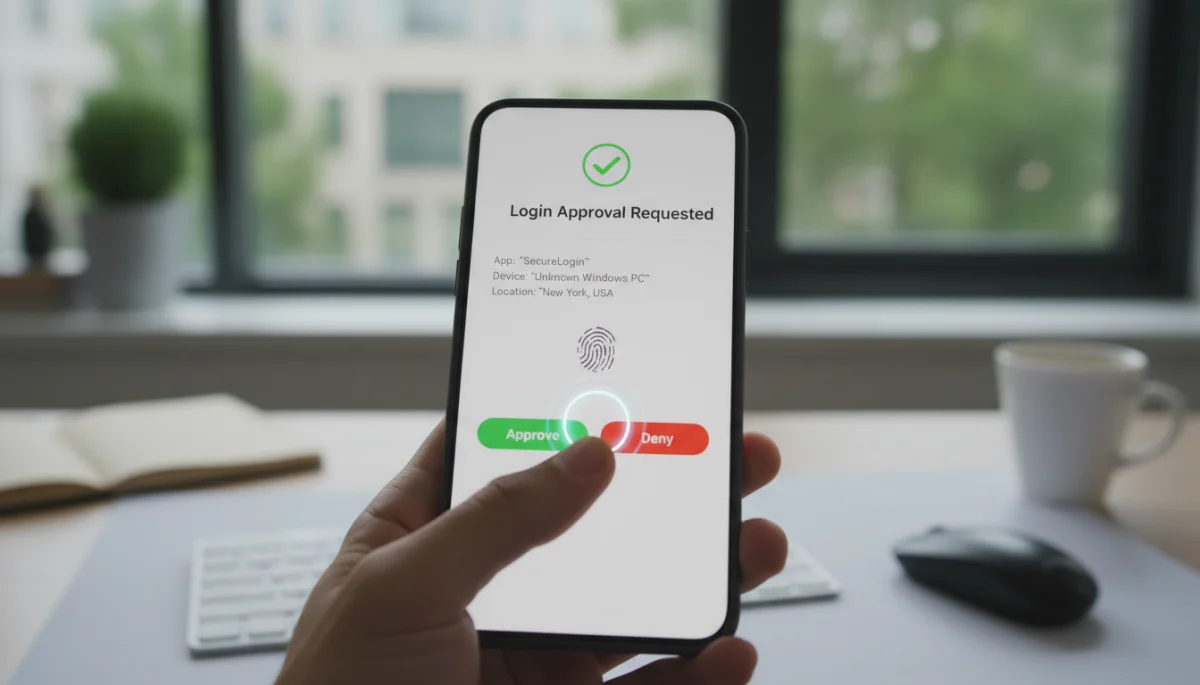
Moreover, the potential for ‘spoofing’ attacks, where attackers attempt to bypass biometric systems using artificial replicas (e.g., fake fingerprints or masks), requires continuous innovation in liveness detection technologies. These technologies ensure that the biometric sample is coming from a live person and not a replica. Despite these challenges, the benefits of biometric authentication, when implemented correctly, far outweigh the risks, providing a secure and user-friendly experience.
- Privacy concerns: Permanent nature of biometrics and secure storage of templates.
- Spoofing risks: Need for advanced liveness detection to prevent fraudulent access.
- Ethical implications: Data collection and consent practices.
In conclusion, biometric authentication offers a powerful means to enhance security by leveraging unique personal characteristics. Its convenience and strength make it an increasingly popular choice for MFA, but careful consideration of privacy and security best practices is essential for its responsible and effective deployment.
Method 4: Hardware security keys (FIDO/U2F)
Hardware security keys, often referred to as FIDO (Fast Identity Online) or U2F (Universal 2nd Factor) keys, represent one of the most robust forms of multi-factor authentication available today. These small physical devices, typically resembling a USB drive, provide a cryptographic ‘something you have’ factor that is highly resistant to phishing and man-in-the-middle attacks. When logging into a service, after entering a password, the user simply inserts or taps the hardware key, which then cryptographically verifies their identity. This method leverages strong public-key cryptography to establish a secure connection between the user, the key, and the service.
The core strength of hardware security keys lies in their ability to perform cryptographic challenges that are tied to specific websites. This means a phishing site, even if it looks identical to the legitimate one, cannot trick the key into authenticating. The key will only respond to the genuine domain, effectively nullifying most phishing attempts. This makes FIDO/U2F keys an exceptionally secure choice for protecting high-value accounts and sensitive data.
How hardware keys work
When a user registers a hardware security key with an online service, the key generates a unique cryptographic key pair: a private key stored securely on the device and a public key sent to the service. During login, after the password, the service sends a challenge to the browser, which relays it to the security key. The key uses its private key to sign the challenge, and this signed response is sent back to the service. The service then verifies the signature using the stored public key.
Crucially, the hardware key is designed to only respond to challenges from the specific domain it was registered with. If a user attempts to log in to a phishing site, the key will detect that the domain does not match and will refuse to provide the cryptographic signature, thus preventing the user from inadvertently compromising their account. This fundamental design makes hardware keys highly resistant to sophisticated online threats.
Unparalleled security against phishing
The primary advantage of hardware security keys is their nearly impenetrable defense against phishing. Unlike SMS codes or even authenticator app codes, which can theoretically be intercepted or phished if a user is tricked into entering them on a fake site, hardware keys communicate directly with the legitimate website’s origin. They verify the authenticity of the website before releasing any cryptographic information, making it impossible for a malicious site to trick the key into authenticating.
- Phishing resistance: Keys verify website origin before authentication.
- Man-in-the-middle attack prevention: Cryptographic verification thwarts interception.
- Hardware-level protection: Private keys are stored securely on the device.
This level of protection is unmatched by other MFA methods, making hardware security keys the gold standard for securing critical accounts. While they may require a small initial investment and the user needs to carry the physical key, the peace of mind and enhanced security they provide are invaluable, especially for individuals and organizations handling sensitive information.
Adoption and future outlook
The adoption of hardware security keys is steadily growing, particularly among tech-savvy individuals and organizations with high-security requirements. Major tech companies like Google, Microsoft, and Apple have embraced FIDO standards, integrating support for these keys into their ecosystems. The emergence of passkeys, which build upon FIDO standards to offer passwordless authentication, indicates a future where hardware-backed security becomes even more prevalent and user-friendly.
- Growing support: Major tech platforms are integrating FIDO standards.
- Passkey evolution: Moving towards passwordless, hardware-backed authentication.
- Increased awareness: Users are recognizing the superior security.
As cyber threats continue to evolve, hardware security keys are poised to become an indispensable tool in the fight for digital security. Their robust protection against phishing and their cryptographic strength make them an essential component of a comprehensive multi-factor authentication strategy for 2026 and beyond.
Implementing MFA: best practices and challenges
Implementing multi-factor authentication effectively requires more than just enabling the feature; it involves strategic planning, user education, and continuous evaluation. Organizations must adopt best practices to ensure that MFA enhances security without creating undue friction for users. A well-implemented MFA strategy considers the specific needs of the users and the sensitivity of the data being protected, balancing security with usability.
One of the primary challenges in MFA adoption is user resistance, often stemming from perceived inconvenience. Overcoming this requires clear communication about the benefits of MFA and providing user-friendly options. Choosing the right MFA methods for different scenarios is also crucial, as a one-size-fits-all approach may not be optimal. By addressing these factors, organizations can foster a security-conscious culture and maximize the effectiveness of their MFA deployment.
Choosing the right MFA methods
The selection of MFA methods should be tailored to the specific risk profile of an organization and its users. For general consumer accounts, a combination of passwords and authenticator apps often strikes a good balance between security and convenience. For high-value accounts or privileged access, hardware security keys offer the strongest protection against sophisticated attacks.
- Risk assessment: Evaluate the sensitivity of data and potential threats.
- User convenience: Select methods that users are likely to adopt and use consistently.
- Compliance requirements: Ensure chosen methods meet industry regulations.
It’s also advisable to offer multiple MFA options where possible, allowing users to choose the method that best suits their preferences and technical capabilities. This flexibility can significantly improve adoption rates and overall security posture. Regularly reviewing and updating the chosen MFA methods is also important to keep pace with evolving threats and technological advancements.
User education and support
Effective MFA implementation hinges on comprehensive user education. Users need to understand why MFA is necessary, how to use it correctly, and the risks associated with bypassing or neglecting it. Training should cover common attack vectors, such as phishing, and emphasize the role MFA plays in preventing account compromises.
- Awareness campaigns: Inform users about the importance of MFA.
- Training resources: Provide clear instructions and tutorials for setup and use.
- Dedicated support: Offer assistance for troubleshooting and recovery procedures.
Providing robust support for MFA is equally important. Users should have clear channels to seek help if they encounter issues, such as losing a device or being locked out of an account. Well-defined recovery procedures are essential to ensure users can regain access to their accounts securely without compromising the overall security framework. A proactive approach to education and support can transform MFA from a perceived burden into a valued security asset.
Challenges and future trends
Despite its benefits, MFA implementation faces several challenges. Phishing attacks that specifically target MFA codes (MFA bypass attacks) are becoming more sophisticated. Users also sometimes experience ‘MFA fatigue,’ where they become annoyed by frequent authentication prompts, potentially leading them to seek ways to disable MFA.
- MFA bypass attacks: Evolving phishing tactics to steal MFA codes.
- User fatigue: Balancing security with convenience to avoid user burnout.
- Recovery challenges: Securely restoring access without weakening security.
Future trends in MFA include the widespread adoption of passwordless authentication, leveraging FIDO standards and biometrics to eliminate the need for traditional passwords entirely. Continuous adaptive authentication, which uses contextual signals like location, device, and behavior to determine the level of authentication required, is also gaining traction. These innovations aim to make MFA more seamless, secure, and user-friendly, further strengthening our digital defenses by 2026 and beyond.
| MFA Method | Brief Description |
|---|---|
| SMS-based MFA | One-time passcodes sent via text message to a registered mobile phone. |
| Authenticator Apps | Offline generation of time-based one-time passcodes on a smartphone app. |
| Biometric Authentication | Uses unique biological traits like fingerprints or facial recognition for identity verification. |
| Hardware Security Keys | Physical devices providing cryptographic ‘something you have’ factor, highly phishing-resistant. |
Frequently asked questions about multi-factor authentication
Multi-factor authentication (MFA) is a security system that requires users to provide two or more verification factors to gain access to an application, website, or other resource. It combines different types of credentials to ensure that only authorized users can access accounts, significantly enhancing security.
MFA is crucial by 2026 because single-factor authentication (like passwords) is increasingly vulnerable to sophisticated cyberattacks such as phishing and credential stuffing. MFA adds layers of protection, making it much harder for unauthorized individuals to access your accounts, even if they obtain your password.
The three main types are ‘something you know’ (passwords, PINs), ‘something you have’ (mobile phone, hardware token), and ‘something you are’ (biometrics like fingerprints or facial recognition). MFA combines at least two of these distinct categories for stronger verification.
While SMS-based MFA is better than no MFA, it has known vulnerabilities like SIM swapping and SMS interception. For higher security, methods like authenticator apps or hardware security keys are generally recommended as they offer more robust protection against these specific threats.
Hardware security keys are physical devices that provide a cryptographic second factor, highly resistant to phishing and man-in-the-middle attacks. They are recommended because they cryptographically verify the website’s authenticity, preventing users from inadvertently giving credentials to fake sites, offering superior protection.
Conclusion
As we navigate the increasingly complex digital landscape towards 2026, the adoption of robust multi-factor authentication (MFA) strategies is no longer optional but essential. From the foundational SMS-based methods to the advanced security offered by hardware keys and biometrics, each approach contributes significantly to fortifying our digital defenses. Understanding these methods and implementing them thoughtfully is paramount for protecting personal data and organizational assets against persistent cyber threats. By embracing MFA, individuals and enterprises can build a more secure future, ensuring trust and resilience in our interconnected world.